Security · · 3 min read
The Code Flaws That Exposed Our Next.js Site
A technical deep-dive into the specific Next.js code vulnerabilities that allowed attackers to exploit our website
 Mohamed Habbat

Unraveling the Breach
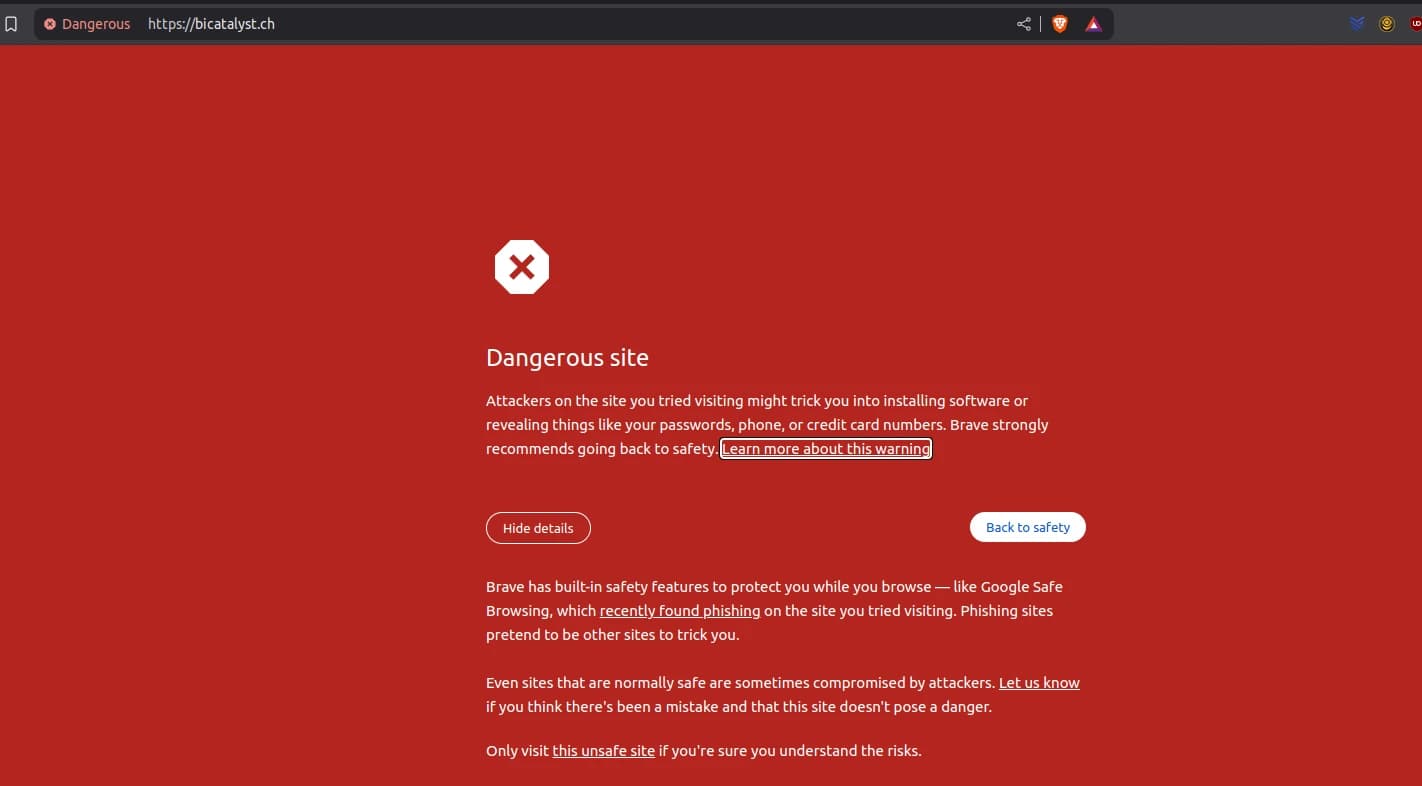
When Google Safe Browsing flagged bicatalyst.ch, we dug into our Next.js 14.1.4 codebase and Docker logs (888785b47b62). The attacker exploited Cache Poisoning and unsanitized markdown, not zero-days. Here's the technical breakdown of how our Next.js security vulnerabilities were exposed.
This is Part 2 of our Next.js Security Series. Read Part 1: How Our Next.js Site Fell to a Phishing Trap first, then continue to Part 3: Securing Our Next.js Site and Clearing Google's Warning.
Flaw 1: Cache Poisoning Vulnerability
Where
pages/index.tsx via getServerSideProps:
export const getServerSideProps = async ({ locale }) => {
  const posts = await geMDFilesFromFolder('src/md/blog', locale)
  return { props: { posts: posts.slice(0, 6) } }
}
Issue
Next.js 14.1.4 (GHSA-gp8f-8m3g-qvj9) allowed SSR routes to be cached as SSG. Without middleware, a request with x-now-route-matches:
curl -H \"x-now-route-matches: 1\" \"https://bicatalyst.ch/?__nextDataReq=1\"
set Cache-Control: s-maxage=1, stale-while-revalidate, caching a phishing response.
Why Insecure
No Cache-Control: no-store left SSR responses cacheable, amplifying the attack. According to OWASP's Web Cache Deception Attack, proper cache headers are essential for preventing cache-based attacks.
Flaw 2: Unsanitized Markdown
Where
renderMarkdown in MDPage.tsx:
export function renderMarkdown(string_) {
  return marked(string_ || '')
}
Issue
marked rendered evil.md unfiltered:
<a href=\"http://phishing-site.com\">Secure your account!</a>
Displayed via Articleslider, this triggered Google's warning.
Why Insecure
No sanitization allowed raw HTML injection, a classic XSS vulnerability. The OWASP XSS Prevention Cheat Sheet recommends output encoding or sanitizing user-controlled content.
Flaw 3: Unvalidated Blog Ingestion
Where
geMDFilesFromFolder in ServerHelpers.ts:
export async function geMDFilesFromFolder(folder, locale) {
  const articles = []
  const filePath = path.join(process.cwd(), folder, locale)
  const mapFileToObject = async filename => {
    articles.push(await getPageSlug(filename, filePath))
  }
  await fromDirectory(filePath, /\\.md$/, mapFileToObject)
  return sortPosts(articles)
}
Issue
No validation let evil.md slip into posts, rendered on /.
Why Insecure
Blind file ingestion invited content injection attacks. The NodeJS Security Best Practices recommend validating all inputs, including files loaded from the filesystem.
Flaw 4: Routing and Image Chaos
Logs
⨯ /images/mission/redefinition.jpg received text/html
⨯ /images/profile/team-mohamed-habbat.webp AND EXTRACTVALUE(...)
Error: Attempted to handle request too many times /blog/[slug]
Issue
SQLi probes and missing images destabilized routing, masking the core attack.
Why Insecure
Unprotected image paths and listener leaks (MaxListenersExceededWarning) signaled broader fragility. According to CWE-400, uncontrolled resource consumption can lead to denial of service conditions.
Attack Execution
- Cache Poisoning: Alex cached a phishing response on
/. - Markdown Injection: CI/CD breach added
evil.md. - Rendering: Unsanitized output hit
Articleslider. - Distraction: Log noise delayed detection.
Security Debt Exposed
These vulnerabilities formed a perfect storm. While seemingly minor in isolation, together they created a critical security breach. The lack of:
- Proper cache control headers
- Input/output sanitization
- Content validation
- Error handling
resulted in our application becoming a vehicle for phishing attacks.
FAQ on Next.js Code Security
How can I check if my Next.js version is vulnerable?
Run npm ls next to check your version and compare against Next.js Security Advisories. Always update to the latest patched versions.
What's the difference between sanitizing HTML and escaping it?
Sanitizing removes potentially dangerous HTML elements and attributes (like <script> tags), while escaping converts special characters to their HTML entity equivalents (< becomes <). For markdown processing, sanitizing is typically preferred.
Is the App Router architecture less vulnerable to cache poisoning?
App Router has different caching mechanisms but still requires proper headers. The core principle remains: always control what gets cached and for how long.
How do you recommend validating markdown files before processing?
Use a combination of schema validation for frontmatter (with tools like zod) and content scanning for suspicious patterns (like phishing URLs or script tags).
In Part 3: Securing Our Next.js Site and Clearing Google's Warning, we'll show you exactly how we fixed these issues and restored our site's security.