Security · · 3 min read
Securing Our Next.js Site and Clearing Google's Warning
How we implemented comprehensive security fixes for our Next.js application and successfully removed Google's phishing warning
 Mohamed Habbat

Rising from the Ashes
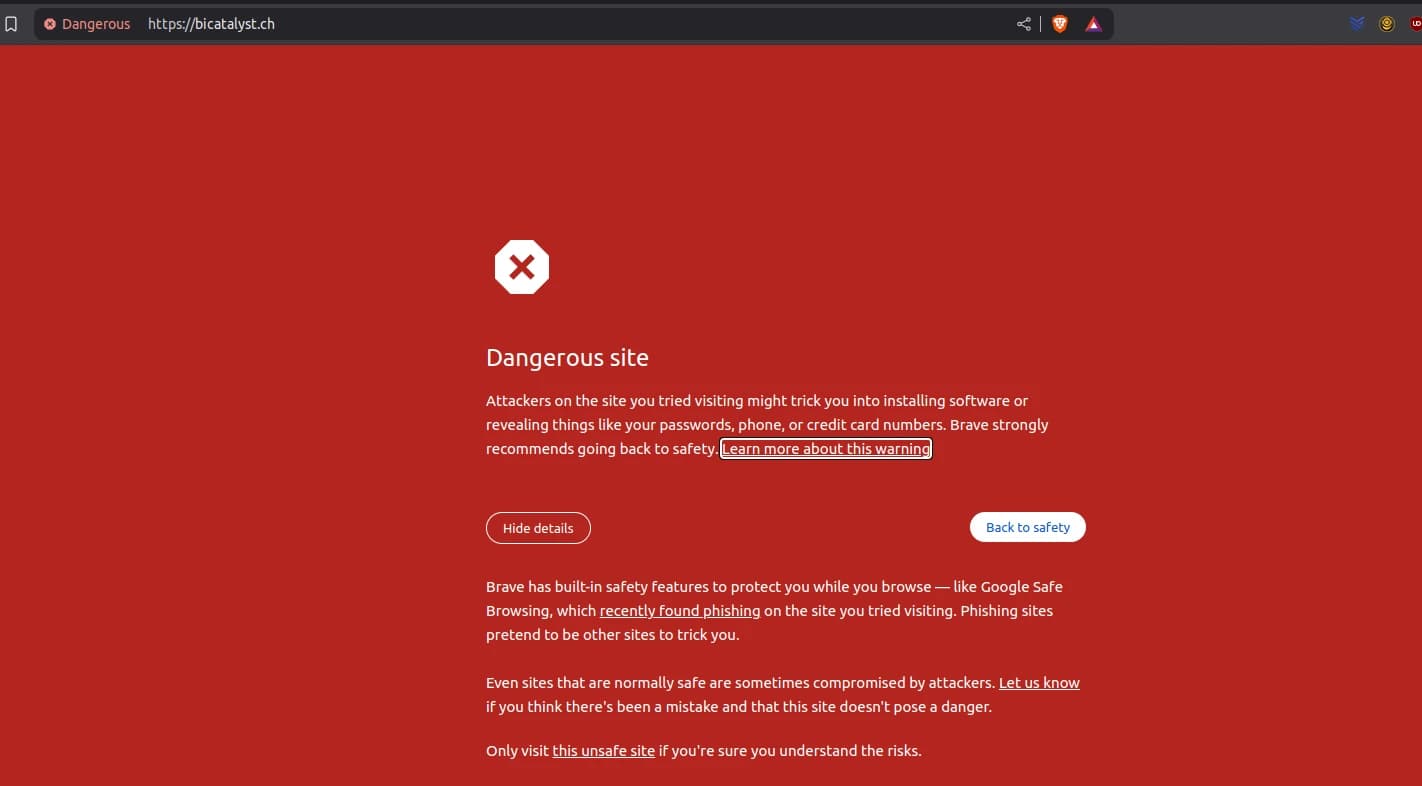
After Google Safe Browsing flagged bicatalyst.ch, we turned a phishing nightmare into a security overhaul. With Next.js 14.1.4's vulnerabilities exposed, we fixed our app, cleared the warning, and emerged stronger. Here's how we secured bicatalyst.ch—practical Next.js security best practices you can adopt.
This is Part 3 of our Next.js Security Series. Make sure to read Part 1: How Our Next.js Site Fell to a Phishing Trap and Part 2: The Code Flaws That Exposed Our Next.js Site first.
Security Fixes
Fix 1: Block Cache Poisoning
Code
In middleware.ts (added post-attack):
import { NextResponse } from 'next/server'
function middleware(request) {
  const response = NextResponse.next()
  response.headers.set('Cache-Control', 'no-store, no-cache, must-revalidate')
  return response
}
export const config = { matcher: ['/((?!_next|favicon.ico).*)'] }
Why
Prevents SSR caching (GHSA-gp8f-8m3g-qvj9), stopping poisoned responses. According to MDN Web Docs, no-store is the most restrictive cache directive, preventing storing of the response in any cache.
Fix 2: Sanitize Markdown
Code
import sanitizeHtml from 'sanitize-html'
export function renderMarkdown(string_) {
  const rawHtml = marked(string_ || '')
  const safeHtml = sanitizeHtml(rawHtml, {
    allowedTags: ['p', 'a', 'h2', 'ul', 'li', 'img'],
    allowedAttributes: { a: ['href'], img: ['src'] }
  })
  return { content: safeHtml, toc }
}
Why
Strips phishing links and scripts, securing Articleslider against XSS. The OWASP XSS Prevention Cheat Sheet recommends using a proper HTML sanitization library as an effective XSS defense.
Fix 3: Validate Blog Posts
Code
export async function geMDFilesFromFolder(folder, locale) {
  const articles = []
  const filePath = path.join(process.cwd(), folder, locale)
  const mapFileToObject = async filename => {
    const post = await getPageSlug(filename, filePath)
    if (!scanMarkdownForMalware(post).isMalicious) articles.push(post)
  }
  await fromDirectory(filePath, /\\.md$/, mapFileToObject)
  return sortPosts(articles)
}
Why
Filters malicious files like evil.md, preventing content injection. This follows the NIST guideline SP 800-53 for input validation of untrusted data.
Fix 4: Robust CSP
Code
const nonce = crypto.randomUUID()
const csp = `default-src 'self'; script-src 'self' 'nonce-${nonce}'; img-src 'self' blob: data:; object-src 'none';`
response.headers.set('Content-Security-Policy', csp)
Why
Blocks unauthorized scripts, enhancing XSS prevention. The Content Security Policy Level 3 specification recommends using nonces as a secure approach to authorize specific scripts.
Fix 5: Secure Images
Code
const SafeImage = ({ src, ...props }) => {
  const sanitizedSrc = /^[\\w./-]+\\.(jpe?g|png|webp|gif|svg)$/i.test(src)
    ? src
    : '/images/fallback.webp'
  return <Image {...props} src={sanitizedSrc} />
}
Why
Mitigates SQLi probes and broken image errors by validating image paths. This implements the principle of input validation described in SANS Top 25 Software Errors.
Recovery Process
Audit: Scanned
src/md/blog:grep -r \"http\" src/md/blog/Removed
evil.md.Patch: Upgraded to Next.js 14.2.10:
\"next\": \"14.2.10\"Deploy: Rebuilt Docker:
docker build -t bicatalyst-blog .Review: Submitted to Google Search Console—warning lifted in 48 hours.
Best Practices for Next.js Security
- Upgrade Regularly: Keep dependencies updated to patch known vulnerabilities.
- Sanitize Inputs: Use libraries like
sanitize-htmlorDOMPurifyfor all user-controlled content. - Enforce CSP: Implement robust Content Security Policy headers.
- Validate All Content: Even content from your own CMS needs validation.
- Monitor Logs: Set up alerting for security-related patterns.
- Use Middleware: Control headers and responses centrally.
- Implement HTTPS: Ensure all traffic is encrypted.
- Manage Secrets: Keep tokens and keys secure.
For additional guidance, refer to the OWASP Application Security Verification Standard (ASVS).
FAQ About Next.js Security Implementation
How long does it take Google to remove a Safe Browsing warning?
After fixing the issues and submitting a review request through Google Search Console, our warning was removed in approximately 48 hours. Times may vary based on the severity and history of issues.
Which sanitization library is best for Next.js applications?
We recommend sanitize-html for its configurability and active maintenance. DOMPurify is another excellent option, especially for client-side sanitization.
Should I implement all these fixes even if I haven't been attacked?
Absolutely. These security measures are preventative and follow security best practices. Implementing them proactively is significantly easier than recovering from an attack.
How do I test if my CSP is working correctly?
Use the CSP Evaluator tool by Google and browser developer tools to verify your policy. Look for CSP violation reports in your browser console during development.
Conclusion
Our security incident transformed bicatalyst.ch from a vulnerability target into a hardened Next.js application. By implementing proper cache controls, content sanitization, input validation, CSP headers, and regular security audits, we've built a more resilient web application.
These measures not only cleared our Google Safe Browsing warning but also strengthened our overall security posture. We encourage all Next.js developers to implement these practices proactively rather than reactively.
We hope our experience helps others avoid similar security incidents. Share your Next.js security tips or questions in the comments below!
Read the complete series:
- Part 1: How Our Next.js Site Fell to a Phishing Trap
- Part 2: The Code Flaws That Exposed Our Next.js Site
- Part 3: Securing Our Next.js Site and Clearing Google's Warning (You are here)